Copyshot
Copy text from anywhere on your screen.
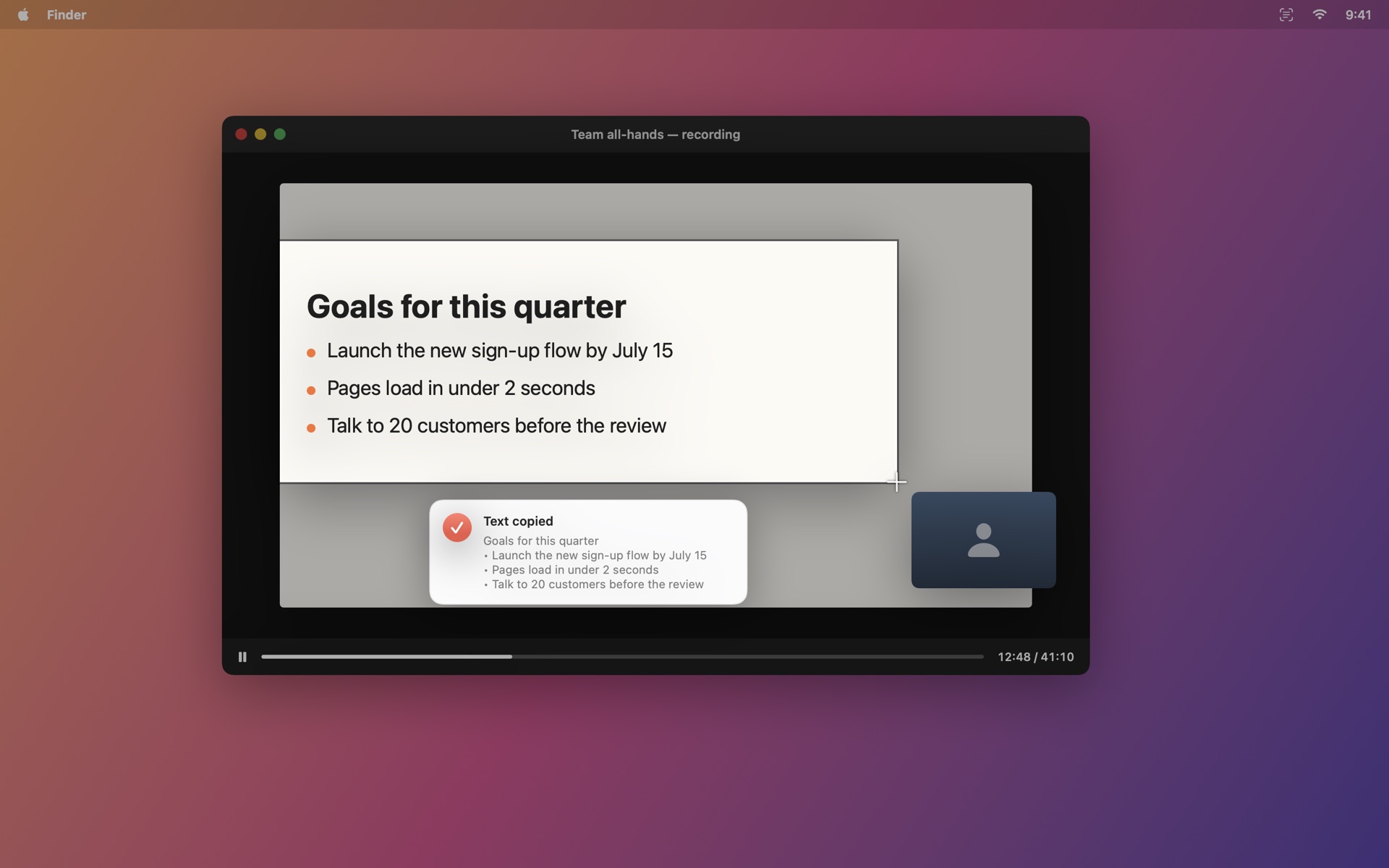
Some text just won’t let you select it: a slide in a recorded meeting, an error in a screenshot, a caption in a video, a label in an app. Copyshot freezes your screen, you drag over the text, and it’s copied, ready to paste. It reads QR codes too, and everything happens on your Mac.
Copyshot is a Mac app.
- macOS 14 Sonoma or later
- Apple Silicon & Intel
- English, Português, Español
- Notarized by Apple
How it works
Freeze, drag, paste.
- 01 ⇧ ⌘ 2
Freeze the screen
Everything holds still, even a playing video, so you can take your time.
- 02
Drag over the text
Slides, photos, PDFs, error messages, subtitles, or apps that won’t let you select.
- 03 ⌘ V
Paste it anywhere
It’s already on your clipboard, with line breaks and tables kept. A small card shows what was copied.
Features
Everything Copyshot does for you.
Small on purpose, thoughtful in the details.
Text you can’t select
Videos, screen shares, photos, scanned PDFs and app labels. If you can see it, you can copy it.
Freezes the screen
Press the shortcut and the screen holds still, so a moving video doesn’t get away.
QR codes and barcodes
Select a code to copy what it says. Links open with one click from the card.
Keeps the layout
Tables come out with tabs, columns are read in order, and lines can be kept or joined into paragraphs.
Speaks your language
Reads English, Portuguese, Spanish and more, accents included. The app itself is in English, Português and Español.
More than the screen
Copy the text in an image you copied or an image file, and find your last five captures in the menu.
Private by design
Text is read on your Mac with Apple’s Vision. Nothing is uploaded, saved or logged.
Always up to date
Checks for updates once a day. A dot on the menu bar icon tells you when one is ready, verified and signed.
A closer look
Feels right at home on your Mac.
Light and dark mode, following your system settings.


Keyboard shortcuts
- Freeze the screen and start selecting
- ⇧ ⌘ 2
- Cancel (a right click works too)
- esc
- Paste what was copied
- ⌘ V
Private by design
- Copyshot reads text with Apple’s Vision framework, on your Mac. Nothing you capture leaves it.
- It only looks at your screen when you press the shortcut, and only reads the area you select.
- Captures aren’t saved: your last five copies stay in the menu until you quit.
- No account, no analytics, no ads. Update checks only ask menubar.tools whether a newer version exists.
One permission
Screen Recording
Lets Copyshot take a still picture of your screen when you press the shortcut, so it can read the area you select. It doesn’t record video or sound, and nothing is saved or sent. macOS applies it after Quit & Reopen.
Install
Up and running in a minute.
- 1
Download Copyshot-1.0.0.dmg
4.1 MB, signed and notarized by Apple.
- 2
Drag Copyshot into Applications
Open the downloaded file and drop the icon onto the Applications folder.
- 3
Open Copyshot
macOS asks once because it came from the internet: click Open. The welcome guide takes it from there.
FAQ
Questions, answered.
Is Copyshot really free?
Yes. No ads, no account, no subscription, no trial. If it saves you time, you can buy us a coffee, but you never have to.
Why does it need the Screen Recording permission?
macOS only lets apps see what’s on your screen with that permission. Copyshot takes a single still picture when you press the shortcut, reads the area you select and throws the picture away. After you turn it on, macOS asks you to Quit & Reopen Copyshot.
How is it different from Live Text?
Live Text works in photos and in apps that support it. Copyshot works on anything on your screen, including video, screen shares, remote desktops and app interfaces, and it keeps tables and line breaks.
Which languages can it read?
Apple’s Vision reads English, Portuguese, Spanish, French, German, Italian, Chinese, Japanese, Korean and more, and detects the language by itself. If accents come out wrong, pick the language in Settings.
Does it work with Copaste?
Yes. Whatever Copyshot copies lands in your Copaste history too, so you can paste it again later with ⇧⌘V.
Why is a video black when I select it?
Some streaming apps protect their video from screen capture, so macOS shows it as black to every app, Copyshot included. Text elsewhere on the screen still works.
How do I update or uninstall it?
Copyshot checks for updates once a day and shows a dot on its menu bar icon when one is ready, or choose Check for Updates… from its menu. To uninstall, choose Quit Copyshot from the menu and move Copyshot from Applications to the Trash.
Release notes
What’s new.
-
Version 1.0.0 Latest
- First release: press ⇧⌘2, drag over any text on screen, and it’s copied. The screen freezes, so even a video holds still.
- Reads QR codes and barcodes, with a button to open links.
- Keeps tables and line breaks, or joins lines into paragraphs.
- Also reads copied images and image files, and keeps your last five captures in the menu.
- In English, Português and Español.
Ready to try Copyshot?
Free, no account. macOS 14 Sonoma or later, Apple Silicon & Intel.
Free, thanks to coffee.
No ads, no subscriptions, no tracking. If our apps save you time, a coffee helps keep them free and the next one coming.
Buy us a coffeeMissing a Mac app?
Tell us what your menu bar is missing.
Got a small, nagging problem a tiny Mac app could solve? Send it our way. If it’s a good fit, our team might build it, free for everyone.